# Handle Off-Ramp crypto deposits
To complete a sell transaction, the customer deposits their cryptocurrency to a MoonPay-owned wallet as the last step of their journey. In the default sell journey, users will see a QR code and instructions in the widget to manually deposit their crypto. For the transaction to be completed successfully, they must ensure that the amount, cryptocurrency, network, and wallet address are all correct in their deposit, which can be an error-prone process and cause users to drop off.
For this reason, we recommend removing this point of friction by handling the crypto deposit using one of the following methods. This is highly recommended, as it provides a better user experience and improves conversion.
> ### 📘To enable this feature, please contact your MoonPay team.
When you register for the SDK event handler `onInitiateDeposit`, the MoonPay widget will instruct your application to initiate the deposit.
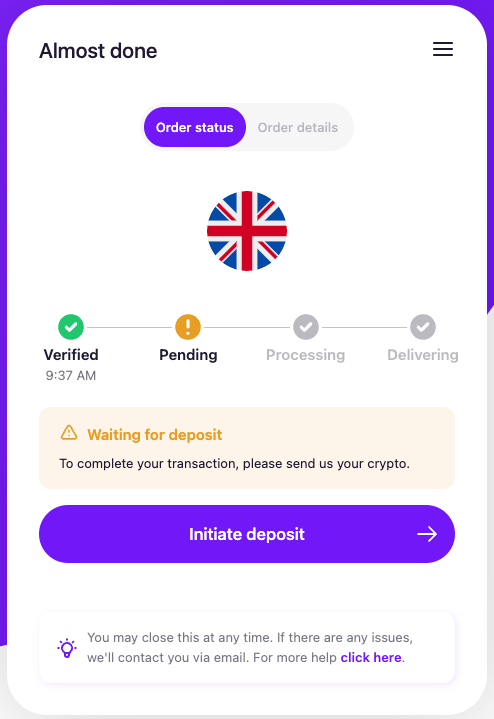
At the end of the sell flow, the user will use the `Initiate deposit` button to continue making the deposit in your app. The deposit instructions, including the transaction ID, base currency code, base currency amount, deposit wallet address and, if applicable, the respective tag will be sent from the widget to your app. Your app will make the deposit and return the corresponding deposit ID from your side.
onInitiateDeposit button in the widget
```
type OnInitiateDepositProps = {
transactionId: string;
cryptoCurrency: {
id: string;
name: string;
code: string;
contractAddress: string | null;
chainId: string | null;
coinType: string | null;
networkCode: string | null;
};
fiatCurrency: {
id: string;
name: string;
code: string;
};
/** Crypto amount in its base unit (0.123 ETH === "0.123") */
cryptoCurrencyAmount: string;
/** Crypto amount in its smallest unit (1 ETH === 1x10^18) */
cryptoCurrencyAmountSmallestDenomination: string;
/** Fiat amount in its base unit ($1.23 === "1.23"). Only set for fixed quotes. */
fiatCurrencyAmount: string | null;
depositWalletAddress: string;
};
const moonpaySdk = window.MoonPayWebSdk.init({
flow: 'sell',
environment: 'sandbox',
variant: 'overlay',
params: {
apiKey: 'pk_test_key'
},
handlers: {
async onInitiateDeposit(properties: OnInitiateDepositProps) {
// Your own crypto deposit code
const {
cryptoCurrency,
cryptoCurrencyAmount,
depositWalletAddress,
} = properties;
const depositId = await deposit(
cryptoCurrency.code,
cryptoCurrencyAmount,
depositWalletAddress,
);
return { depositId };
}
}
});
```
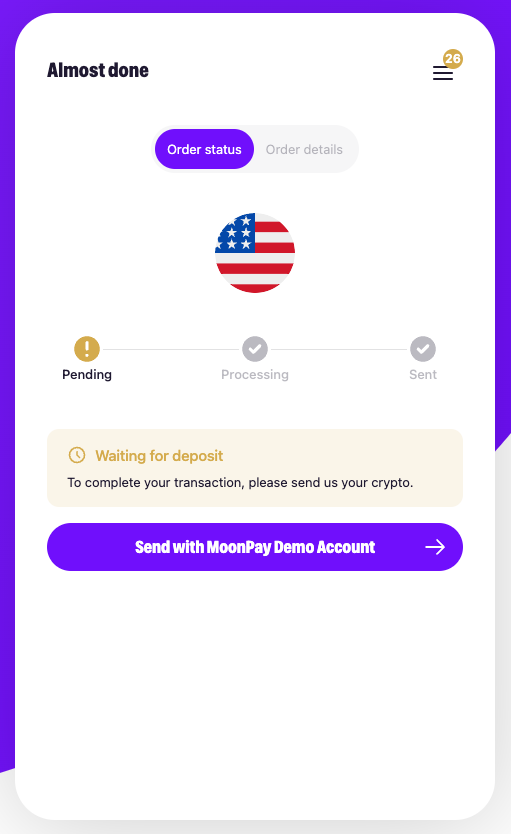
Passing`redirectURL`will show a button at the end of the sell flow that says`Send with `, which the user clicks to be redirected back to your app. The deposit instructions, including the `transactionId`, `baseCurrencyCode`, `baseCurrencyAmount`, `depositWalletAddress` and, if applicable, `depositWalletAddressTag`, will be appended as URL parameters. [List of off-ramp parameters](https://moonpay.readme.io/docs/off-ramp-how-to-configure-user-journey-params)
> ### 🚧When `depositWalletAddressTag` is included in the URL parameters, you must include this with the deposit, otherwise the transaction will fail.
`redirectURL` supports both normal links and app deeplinks.
If you choose not to use `redirectURL`, the user will see either the WalletConnect button or manual deposit instructions outlined in the next section, depending on the base currency for the transaction.
> ### 📘When using redirectURL with the off-ramp, you must set up webhooks or API calls to verify the deposit instructions. Webhooks overview.
redirectURL button in the widget
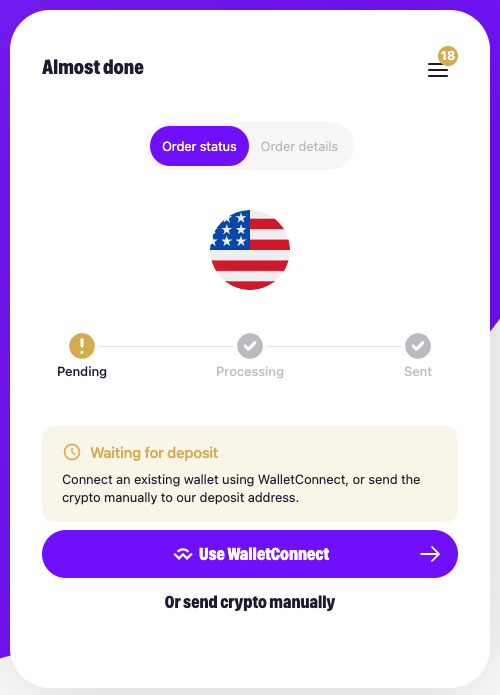
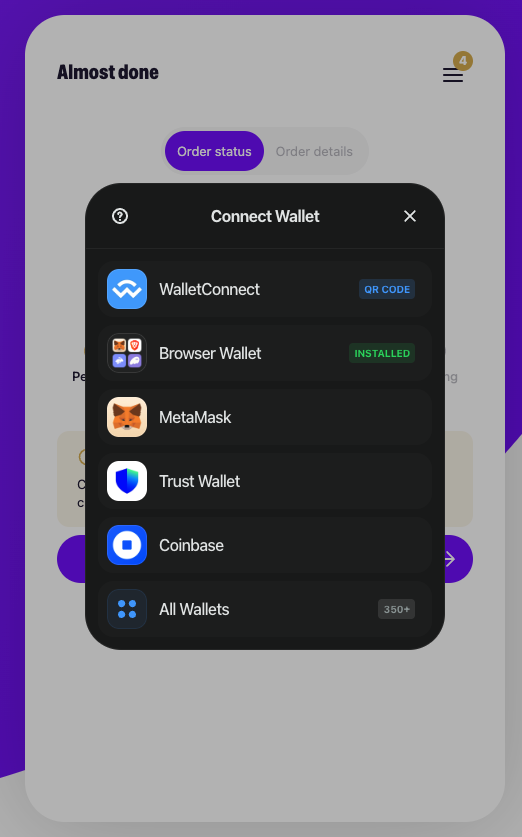
WalletConnect enables users to connect their wallet to the widget so they can sign and send transactions directly from their wallet.
This deposit option only supports ERC-20 tokens. ERC-20 tokens are cryptocurrencies built on the Ethereum blockchain, for example Ethereum (ETH) and USD Coin (USDC). [Full list of supported off-ramp cryptocurrencies](https://support.moonpay.com/hc/en-gb/articles/360013742837-Which-cryptocurrencies-can-I-sell-)
For the WalletConnect button to show up, an ERC-20 token must be selected for the transaction, either by the user or with the use of `baseCurrencyCode` or `defaultBaseCurrencyCode`.
WalletConnect button in the widget
WalletConnect modal where users can choose their wallet
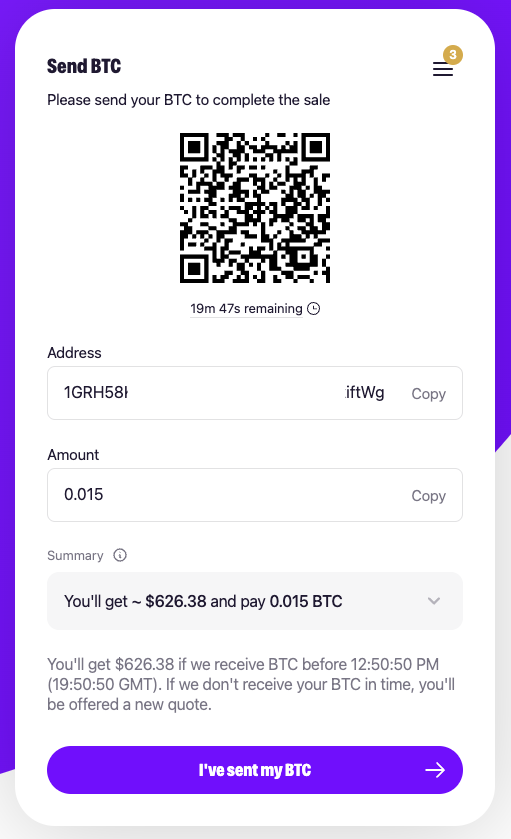
The widget can display a QR code and deposit instructions for the user to manually deposit their crypto to a MoonPay-owned wallet.
This is the default deposit option that shows up when `onInitiateDeposit`, `redirectURL`, and WalletConnect are not in use. However, it’s highly recommended to use these options over manual deposits, as this significantly improves the user experience.
Manual crypto deposit instructions
Updated 3 months ago
***
* [Table of Contents](broken://pages/rVF4MCY2AkLNX5FCLmDj)
* * [**Method 1**: Use the SDK’s `onInitiateDeposit` event handler](broken://pages/rVF4MCY2AkLNX5FCLmDj)
* [**Method 2**: Pass the `redirectURL` widget parameter](broken://pages/rVF4MCY2AkLNX5FCLmDj)
* [Other options for crypto deposits](broken://pages/rVF4MCY2AkLNX5FCLmDj)
* [WalletConnect](broken://pages/rVF4MCY2AkLNX5FCLmDj)
* [Manual deposits](broken://pages/rVF4MCY2AkLNX5FCLmDj)
---
# Agent Instructions: Querying This Documentation
If you need additional information that is not directly available in this page, you can query the documentation dynamically by asking a question.
Perform an HTTP GET request on the current page URL with the `ask` query parameter:
```
GET https://gitbook.keytrust.one/off-ramp/how-to/handle-off-ramp-crypto-deposits.md?ask=
```
The question should be specific, self-contained, and written in natural language.
The response will contain a direct answer to the question and relevant excerpts and sources from the documentation.
Use this mechanism when the answer is not explicitly present in the current page, you need clarification or additional context, or you want to retrieve related documentation sections.